

10 Powerful SEO Tips to Boost Your Website Traffic in 2025
Introduction:
Have you ever wondered why some websites easily show up on the first pages of Google results, while your site stays behind?
The truth is that many website owners and entrepreneurs still rely on outdated methods that no longer work, while their competitors utilize the latest SEO strategies and achieve remarkable results.
In 2025, it’s no longer just about content or keywords. It’s about understanding user intent, improving the experience, and using smart tools to achieve real growth. From my work with different companies and projects, I’ve seen how a well-planned strategy can turn an ordinary website into a platform that attracts thousands of targeted visitors.
I’ve helped many businesses avoid this trap by changing their strategies, and the results were clear: higher rankings, more targeted traffic, and real growth. The truth is, you don’t need complicated tricks or endless methods, just a clear and proven plan. That’s exactly what you’ll find here.
You’re not alone in this challenge. Many website owners feel confused, especially with the fast changes in the SEO world. But the good news is, there are simple and effective strategies that can help you attract the right visitors and grow your traffic if you know how to apply them correctly.
In this article, I’ll share with you 10 powerful and easy-to-use tips that will change the way your website appears and put you on the right path to real results this year.
Are you ready to start your journey to the top of search results? Let’s go!
1. Focus More on User Intent Than Just Keywords:
Did you know that SEO is no longer just about filling your content with the right keywords? It now mainly depends on understanding what users are really searching for. This is where user intent comes in. Knowing the reason behind a search is much more important than just matching words, because it helps you create content that answers real questions and solves real problems. In this guide, we’ll explain why user intent matters more than keywords and why relying on keywords alone won’t be enough in 2025.
a.What Makes User Intent More Important Than Keywords in SEO?
User intent has become more important than keywords in SEO because search engines like Google have evolved to understand the purpose behind a search, not just matching words. Simply put, Google is smarter than just counting keywords!
Imagine you search for “comfortable sports shoes.” What are you really looking for?
A comparison between brands?
Where to buy them?
Or the types of materials used in making them?
This is exactly what we call “user intent” is the real goal behind the search.
How can you apply this easily in a shoe store?
Ask yourself before creating any content: “What does this shoe visitor really want?”
Check the top search results: see which type of content works best (product review? comparison? price listing?)
Provide a complete answer: don’t leave the visitor confused, give them everything they need on one page.
Practical examples from the shoe world:
If they search for “Nike Air Max price,” → provide a clear product page with direct purchase options
If they search for “men’s running shoes comparison,” → provide a comparison table with features of each brand
If they search for “how to clean leather shoes,” → provide a tutorial video with practical tips
Google rewards you when you provide real value to visitors, not just by repeating keywords!
b.Is Keyword Targeting Alone Enough for SEO in 2025?
Relying on keyword targeting alone won’t be enough for SEO in 2025. Search engines now look beyond exact words; they want to understand what users truly need. Imagine you search for “best running shoes.” Are you looking for a brand comparison, prices, or tips for choosing the right size? Simply using keywords won’t answer these questions. To succeed, ask yourself: “What does this visitor really want?” Check the top results to see which types of content work best, and then provide complete, helpful answers on one page. For example, if someone searches for “Nike Air Max review,” give a detailed review with pros, cons, and buying options. If they search “how to clean running shoes,” provide a clear step-by-step guide or video. Google rewards content that truly solves the user’s problem, not content that repeats keywords.
c.How to Align Content with User Intent Effectively?
Aligning your content with user intent is easier than you think!
Start by searching for your keyword on Google and looking at the top results. Are product pages showing up? Then the intent is commercial. Are educational articles showing up? Then the intent is informational. This is your first guide!
Practical Steps:
Identify the intent:
Use tools like “AnswerThePublic” or “Google Autocomplete” to understand the real questions users are asking.Create content based on the intent:
- Informational intent: Write a complete guide or educational article.
- Commercial intent: Provide comparisons or reviews.
- Transactional intent: Direct the visitor straight to the purchase page.
Always include a call to action:
In articles: Add links to related products.
On product pages: Include tutorial videos or an FAQ section.
Practical Examples:
Searching for “best walking shoes” → intent is commercial (comparison), so create a comparison table with brand options and purchase links.
Searching for “how to tie shoelaces correctly” → intent is informational, so create a short video or visual guide.
Remember: Great content answers the question immediately, so the user doesn’t have to search again!
d.Tools to Help You Analyze User Intent?
Want to truly read your users’ minds? Use these powerful (and some free) tools to uncover exactly what they’re searching for:
Google’s Own Features (Free & Instant):
Autocomplete: Start typing a keyword; Google’s suggestions reveal real, popular queries.
“People also ask”: Click on these boxes to discover related questions and concerns.
“Related searches”: Check the bottom of the results page to see how searches evolve.
Competitor & Keyword Insight Tools:
Question & Topic Discovery Tools:
AnswerThePublic: Generates a visual map of every question people ask about a topic online.
AlsoAsked.com: Shows the “question tree” related to a search term, revealing deeper intent.
AI-Powered Analysis (The Future):
ChatGPT / Google Bard: Prompt: “What are the common questions and needs for someone searching for [your keyword]?” to get instant, summarized intent analysis.
The Bottom Line: Stop guessing. Use these tools to listen to your audience’s questions, then create content that provides the perfect answer. Google will reward you for it.
2. Write Clear Titles and Meta Descriptions: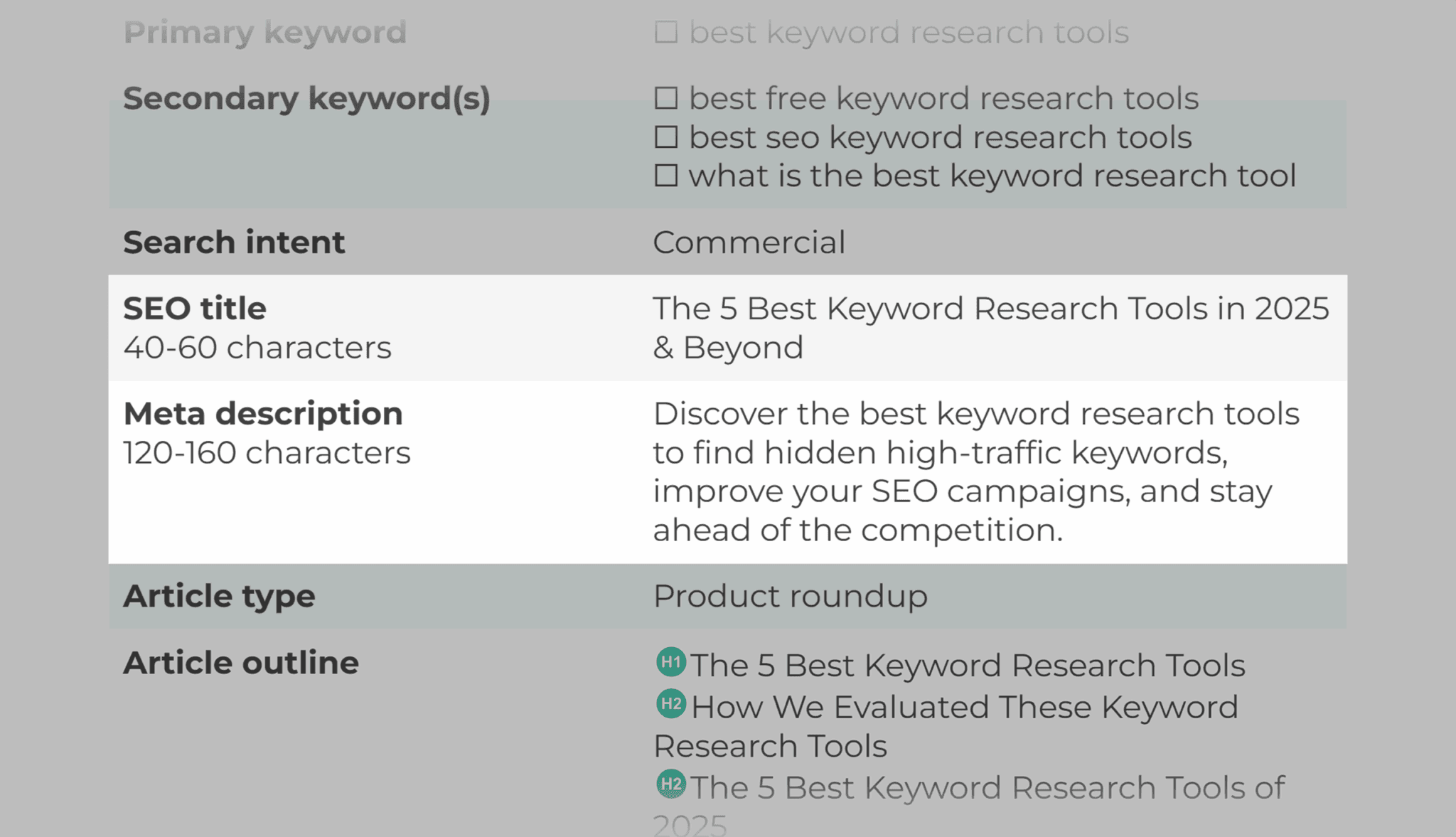

Your Page Title is the First Impression! Write it Like This:
💡 Keep it short: Try to stay under 60 characters so it doesn’t get cut off in search results.
🔍 Keep it clear: Write the title exactly how a visitor might search for it. For example, instead of “Our Products,” write “Comfortable Running Shoes for Men.”
✨ Make it unique: Every page on your site deserves its own special title; don’t use the same one twice.
🖱️ Make it encouraging: Use words that encourage people to click, like “Discover,” “Learn,” or “Get a Deal.”
Example: If you have a page for a specific shoe, instead of just “Nike Air Max,” try:
“Nike Air Max 2025 – Order Now with Free Shipping!”
The Description is Your Chance to Persuade Them! Write it Like This:
📏 Mind the length: Keep it around 150 characters so the whole thing shows up.
🎯 Summarize the content: Simply explain what they’ll find on the page, and use the keywords they’re searching for.
😍 Use exciting language: Tell them why they should click! Use phrases like “our complete guide” or “our exclusive offers.”
🚀 Focus on their goal: Think about why they are searching. Do they want to buy? To learn? Write the description to help them.
Example: For the same shoe page, the description could be:
“Looking for unbeatable comfort? Order the Nike Air Max 2025 now and enjoy our detailed reviews, competitive prices, and free shipping on all orders!”
Imagine you are the visitor… How would you write the title and description?
If they want to buy a shoe:
Title: “Nike Air Max 2025 – Best Price & Full Warranty”
Description: “Don’t miss out! Get the latest Nike Air Max shoes at the lowest market price, with fast and free shipping and real reviews from our customers.”
If they want to compare types:
Title: “Top 10 Athletic Shoes This Season”
Description: “Can’t decide between Nike and Adidas? Our comparison guide breaks down all the differences to help you choose the best fit and save money.”
If they want to learn (not ready to buy now):
Title: “Step-by-Step Guide to Cleaning Leather Shoes”
Description: “Are your leather shoes looking dull? Not sure how to clean them? Here you’ll learn an easy 5-minute method to make them look like new again!”
The main idea: Talk to the visitor as if you’re saying, “I know what you’re looking for, and this page will help you get it.”
3. Optimize On-Page SEO for AI and Humans:
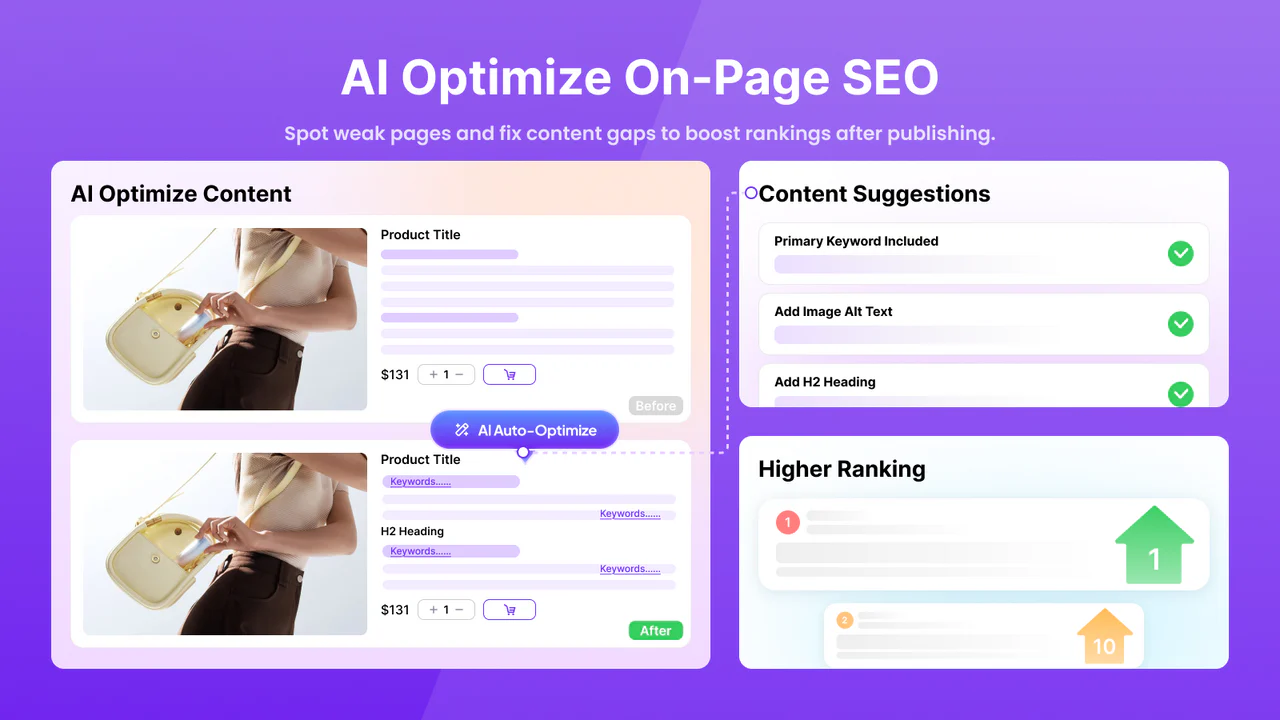
When we talk about improving On-Page SEO for both AI and humans in 2025, my advice as an expert is to treat your page as if you are presenting it to a real person and a search engine bot at the same time. Here are the practical steps to achieve this:
Headings: Start with clear titles that include the main keyword at the beginning.
Meta description: Keep it short, attractive, and click-worthy.
Content structure: Use H1 for the main title and H2/H3 for subtopics.
Readability: Write short paragraphs and use bullet points or lists to make information clear.
Internal linking: Connect your articles smartly to improve site structure and keep visitors longer.
User experience: Focus on fast loading speed, mobile-friendly design, compressed images with accurate Alt Text, and simple language.
4. Create and Publish High-Quality Content:
Imagine this: you are a website owner or a blogger, and your goal is for people to visit your site and find real value there. This is where high-quality content comes in. But what does “high-quality content” really mean? And how can you actually create and publish it in a way that attracts visitors and keeps them on your site? Let’s explain it step by step.
Steps to create and publish high-quality content:
1. Know your audience first:
Before you start writing, think: Who are your visitors? What are they looking for? What problems do they want to solve? Content that meets your audience’s needs is always engaging and useful. Don’t write just for the sake of writing. Choose a topic that adds real value, answers readers’ questions, or provides a solution to a problem they face.
2. Write simply and clearly:
Avoid complex terms and long sentences. Write as if you are explaining to a friend. This makes reading enjoyable and easy.
3. Organize content with headings, lists, and visuals:
Use subheadings and lists to make your page easy to read. Add images, illustrations, or videos to support the text and catch attention. This helps visitors understand your content quickly and navigate your page easily.
4. Publish regularly:
Keeping a consistent publishing schedule builds trust and makes visitors return to your site regularly to see your new content.
5. Optimize content for search engines (SEO):
Use the right keywords, add descriptive titles, and pay attention to page speed and user experience. All this helps your content reach more visitors.
5. Optimize Images for Faster Loading and SEO:
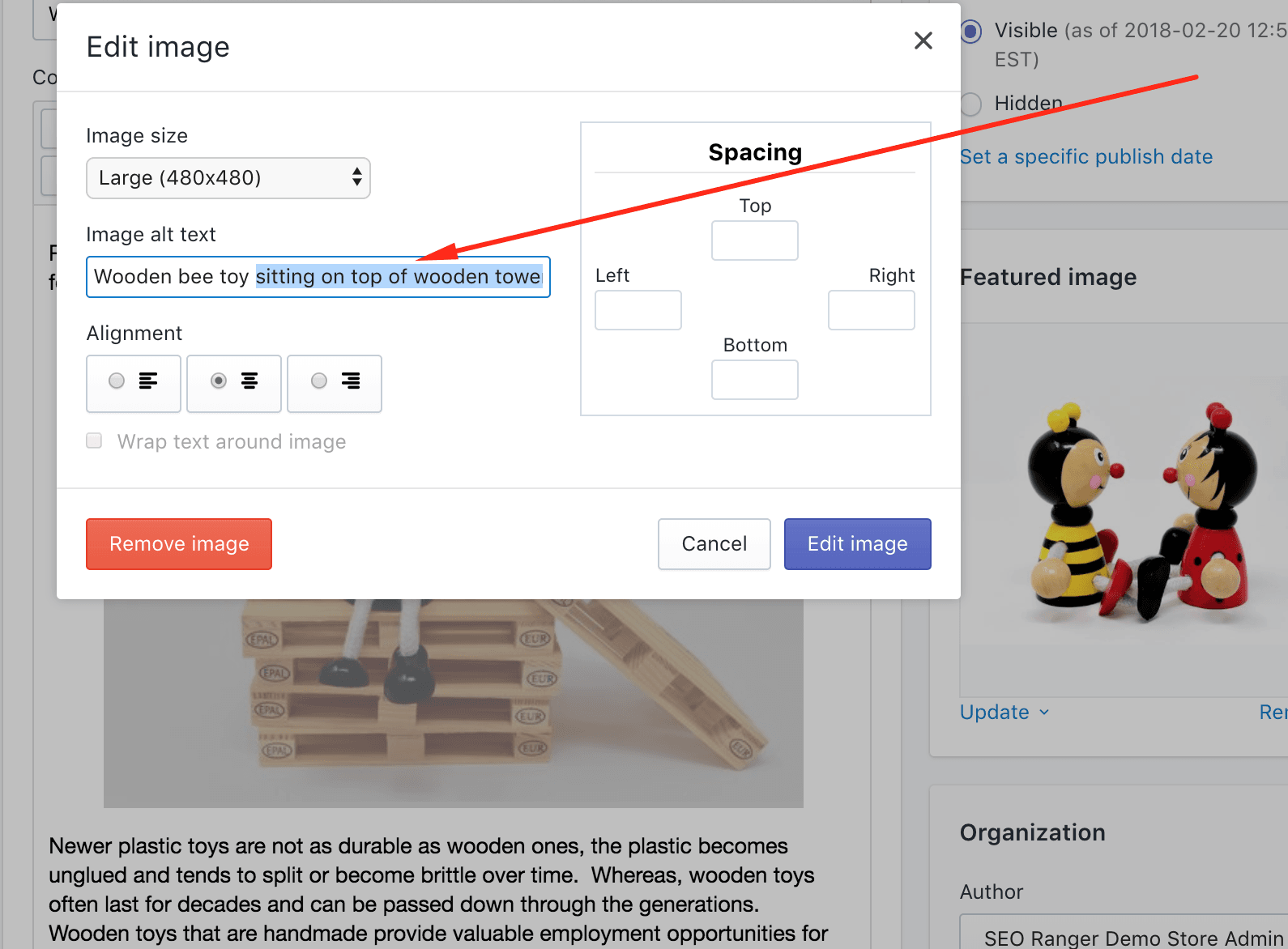
Imagine you opened a website and had to wait a few seconds for the images to appear. Sometimes these seconds feel short, but they can be enough to make a visitor leave, right? This is where image optimization comes in. It doesn’t just make your website load faster, but also helps search engines understand your content better. Optimized images make the visitor’s experience smoother and more enjoyable, and at the same time, increase your chances of ranking higher in search results.
Here’s how to do it step by step, simply:
Choose the right image size: Don’t upload a large image if it will be shown in a small space. Use dimensions that match the place where the image will appear.
Compress images without losing quality: Free tools like TinyPNG or ImageOptim can help reduce image size without affecting clarity.
Use the right image format: JPEG is good for photos, PNG is for images that need transparency, and WebP gives excellent quality with a smaller file size.
Add Alt Text: This text helps search engines understand the image content and is useful for visitors using screen readers.
Use Lazy Loading: This means images load only when the visitor scrolls near them, making the website faster at first.
By following these steps, your website will load faster, give visitors a better experience, and search engines will like your site more.
6. Improve Site Speed and Core Web Vitals
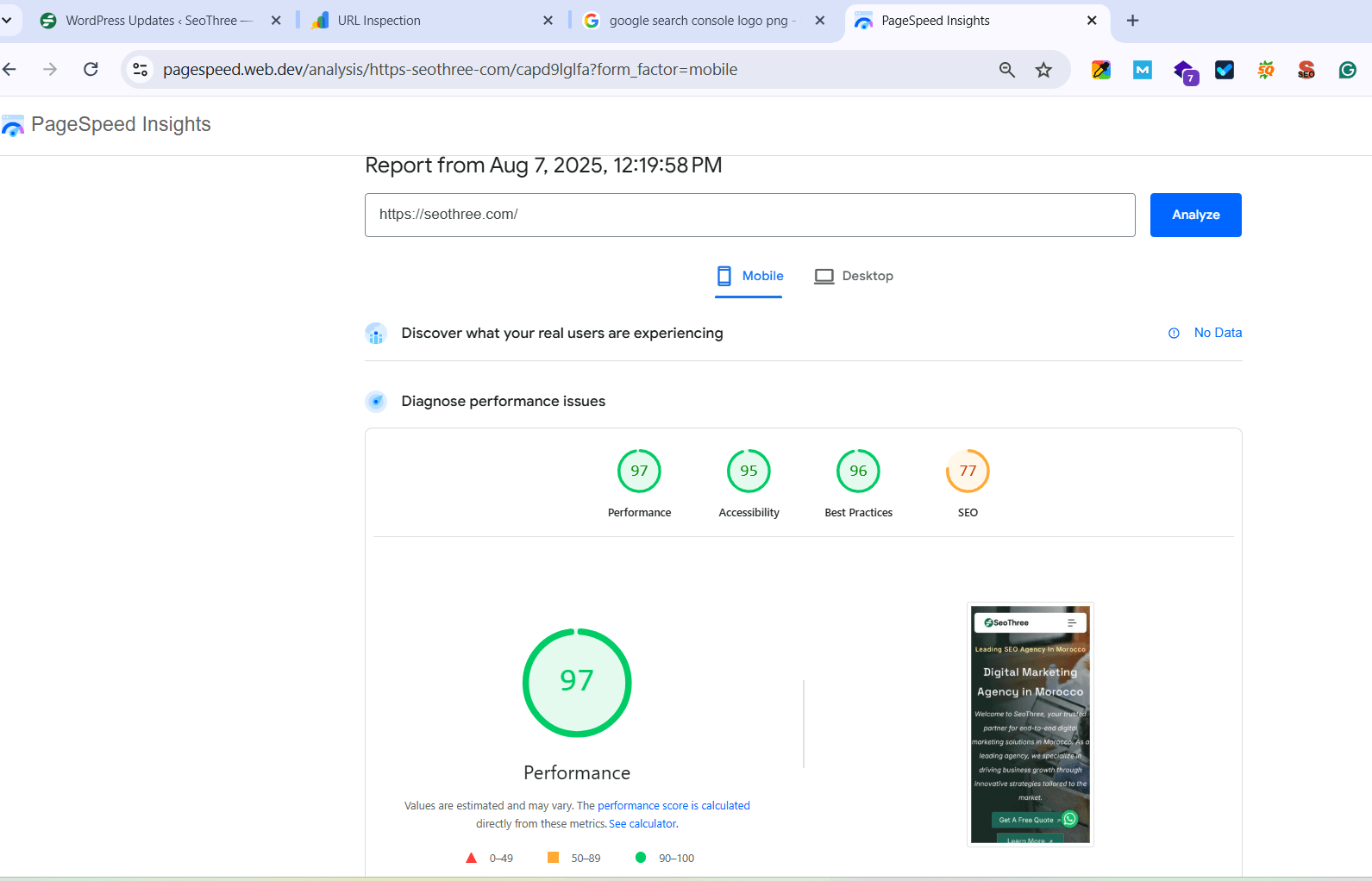
Imagine you are browsing a website, and every time you try to move between pages, it feels slow… Isn’t that annoying? Website speed is not only important for visitor comfort, but it also affects your ranking on search engines. This is where improving site speed and Core Web Vitals come in. They focus on three main things: how fast the page loads, how quickly the site responds to interactions, and how stable the visual elements are while loading.
Here’s how to make your website fast and smooth, step by step:
Speed up page loading (Largest Contentful Paint – LCP): Focus on loading the main part of the page first, like large images or important text, so it appears quickly to the visitor.
Improve site responsiveness (First Input Delay – FID): Make sure buttons and links work immediately when clicked by reducing heavy scripts and optimizing your code.
Keep visual elements stable (Cumulative Layout Shift – CLS): Avoid images or text moving while the page loads by setting element sizes in advance.
Compress files and reduce image sizes: The lighter your site, the faster it loads. Use modern formats like WebP for images.
Use lazy loading: Images and videos load only when the visitor scrolls near them, making the page appear faster.
Improve caching and hosting: Caching reduces load times on return visits, and good hosting makes your site more stable and faster.
By following these steps, your visitors will feel that your website is fast and professional, and your site will also get a better ranking from search engines.
7. Make Your Website Mobile-Friendly
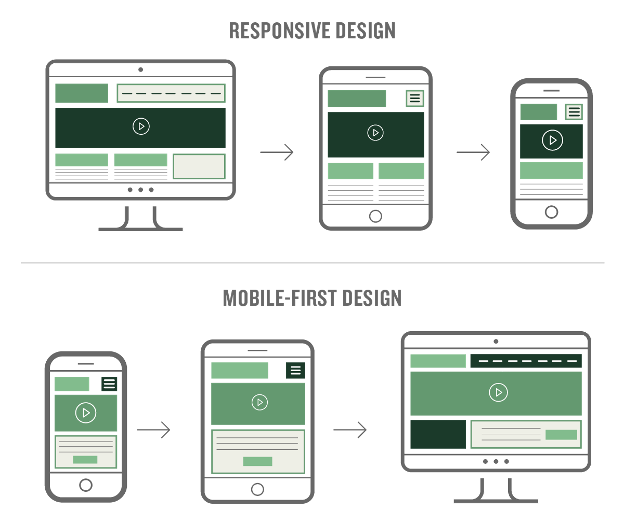
In 2025, over 64% of global website visitors come through their smartphones.
This means making your website “mobile-friendly” is no longer just an option; it’s your secret weapon to rank higher on Google.
Think about it: Google now uses “mobile-first indexing.” If your site looks old or hard to use on a phone, it gets pushed down in search results, and your competitors take your place.
Now imagine this: A potential customer picks up their phone to search for you. If they find slow pages or tiny buttons that are hard to click, they’ll leave in seconds. That increases your bounce rate and turns a possible sale into a missed chance.
But here’s the good news:
Making your site smooth and easy to use on mobile can increase your traffic by 50% in just a few weeks.
Ready to start?
Here are the clear, step-by-step actions to take:
• Use a Responsive Design:
Use frameworks like Bootstrap or CSS Media Queries so your website automatically adjusts to different screen sizes. This way, it looks great on phones without needing a separate mobile version.
• Improve Loading Speed:
Compress your images using tools like TinyPNG, enable lazy loading (so images load only when needed), and use Content Delivery Networks (CDNs). Aim to load your site in under 3 seconds because 53% of visitors leave slow websites.
• Focus on Easy Navigation and Reading:
Make buttons big enough to tap with a thumb (at least 48 pixels), use clear fonts at size 16px or more, and avoid annoying pop-ups. This helps users have a smooth and pleasant experience.
• Test on Real Devices:
Use tools like Google Mobile-Friendly Test or BrowserStack to check if your site works well on mobile. Also, track performance with Google Analytics to spot and fix issues quickly.
By following these simple steps, you can turn mobile visitors into loyal customers and improve your search ranking.
Start today and see the difference!
8. Use Internal Links to Connect Your Pages
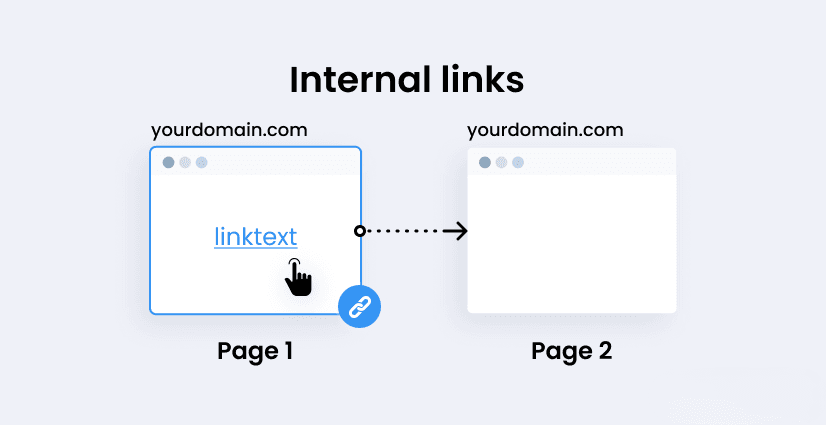
Internal linking is one of the easiest, yet most powerful ways to boost your website’s performance and help both users and search engines navigate your content better.
Think about it: When visitors land on your site, internal links guide them to related pages, keeping them engaged longer and reducing bounce rates. At the same time, Google uses these links to understand the structure of your website and to discover new pages faster.
Now imagine this: A user finishes reading your blog post and sees a clear link to a related service or product page. With one click, they continue exploring, getting closer to making a decision. Without that link, they might leave and never come back.
But here’s the good news:
Using internal links strategically can improve SEO, increase page views, and even boost conversions, without spending a single extra dollar on ads.
Ready to get started?
Here’s how to do it right:
• Link to Relevant Content:
When you mention a topic you’ve written about elsewhere on your site, add a link. This gives readers more value and helps search engines connect the dots.
• Use Clear Anchor Text:
Instead of saying “click here,” use descriptive text like “learn more about our pricing plans” so users and search engines know what to expect.
• Create Content Hubs:
Group related articles or pages around a central topic and link them together. This builds authority and improves the overall user experience.
• Avoid Overlinking:
Don’t flood your pages with too many links. Keep it natural and helpful; quality over quantity always wins.
By building a strong internal linking structure, you guide your visitors smoothly through your site and give search engines a clear map of your content.
Start linking smart, and watch your results grow!
9. Build Strong Backlinks from Trusted Websites
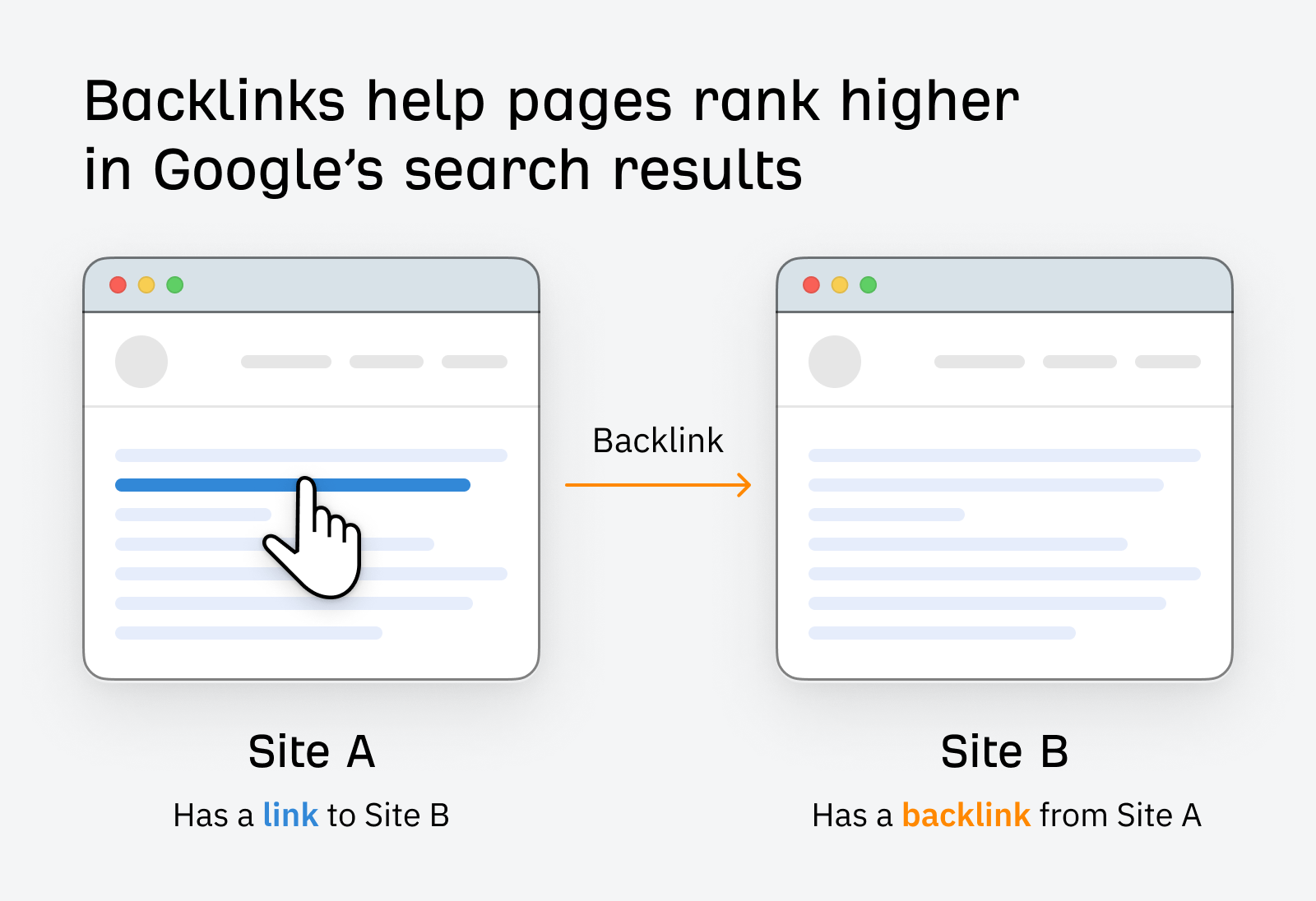
Think of backlinks as votes of confidence for your website. When a trusted site links to your content, it’s like they’re saying, “Hey, this is worth checking out!” Google sees that, and rewards you with better rankings. Quality backlinks don’t just improve your SEO; they also bring real people to your site who are already interested in what you offer.
Now imagine this: A popular blog in your industry mentions your website and links to one of your articles. That link brings in traffic, builds your credibility, and boosts your visibility in search results. It’s a win on every level.
Here’s how to start building strong backlinks, step by step:
Create High-Quality Content:
People are more likely to link to content that is helpful, original, and valuable. Think guides, research, case studies, or unique insights.
Reach Out to Relevant Sites:
Find blogs, news sites, or industry platforms related to your niche. Send a friendly, personalized message showing how your content can add value to their audience.
Guest Post on Authority Websites:
Offer to write useful content for other websites in your industry. In return, you can include a link back to your site in your author bio or within the article.
Get Listed in Directories or Resources Pages:
Some trusted sites have pages that list helpful tools, companies, or articles. If your content is a good fit, ask to be included.
Avoid Spammy Links:
Focus on quality over quantity. A few links from trusted websites are far more valuable than dozens from low-quality or irrelevant sites.
Building backlinks takes time, but it’s one of the most effective ways to grow your website’s authority and reach the right audience.
Be consistent, stay patient, and let the results speak for themselves!
10. Track and Analyze Your SEO Results
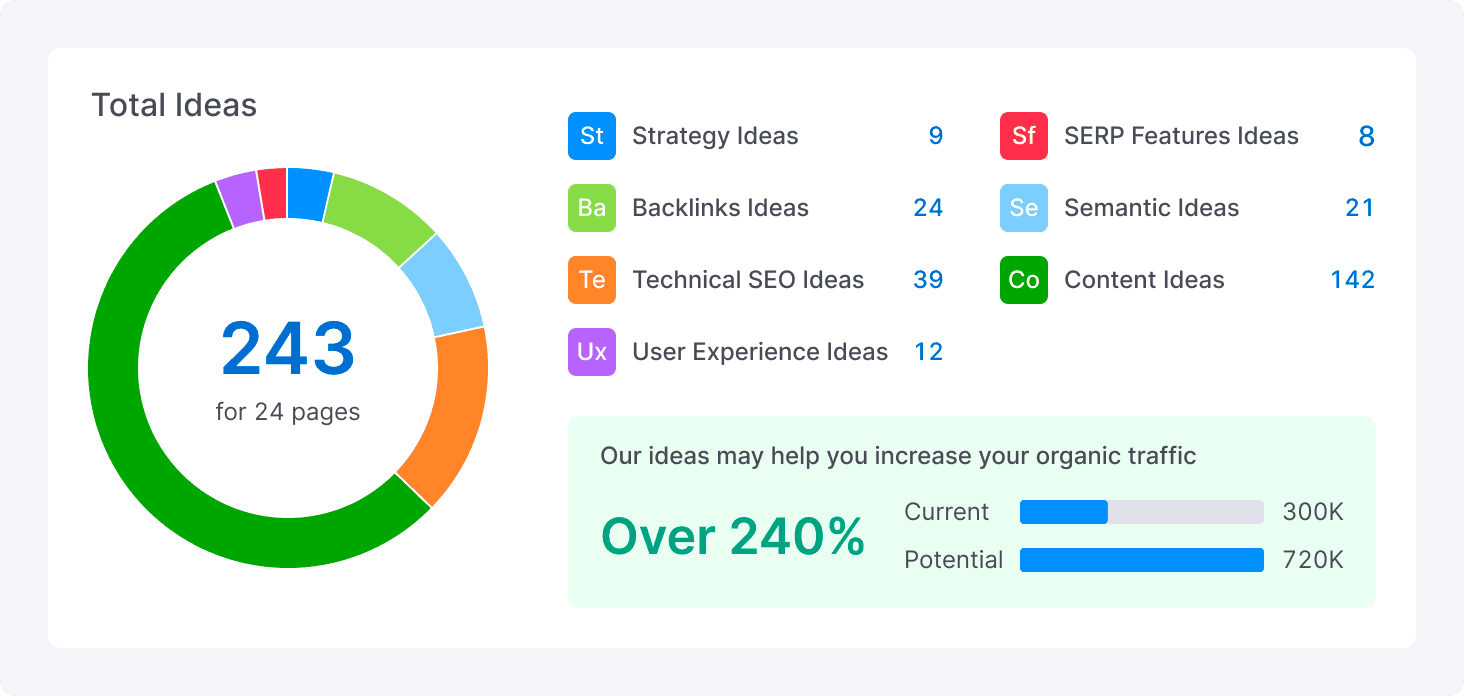
Have you ever tried SEO strategies and then just waited, not knowing what’s working and what’s not?
This is a mistake many website owners make.
The truth is: if you don’t track and analyze your results, you’re working in the dark.
In 2025, SEO is not about guessing anymore. Now, tools like Google Search Console and Google Analytics 4 give you real data about your website’s performance.
These tools show you:
Which keywords bring visitors to your site
Where your visitors come from
How long they stay on your pages
Which pages turn visitors into customers (like buying something, signing up, or sending a message)
Imagine this: you find out that 80% of your traffic comes from one blog post, but people leave the page after a few seconds.
That means something needs to be improved; maybe the content, the design, or the loading speed.
Or maybe you have a great page that never shows up in Google search; the problem could be the title, the description, or even the link structure.
Tracking your results is like having a map in the world of SEO. It helps you turn effort into real results and guesswork into a clear plan.
Check your numbers, learn from them, and update your strategy.
📌 Quick expert tip:
Spend just one hour every week looking at your SEO data you’ll be surprised how many chances you were missing before.
Conclusion:
🚀 Now that you’ve learned the top 10 secrets to show up in search results…
Here’s the real question:
Will you keep waiting, or will you start moving ahead of your competitors?
In today’s SEO world, success doesn’t come from luck or short-term tricks.
It comes from truly understanding what your audience wants, giving them great content and a good experience, and using smart tools and strategies that follow the latest changes.
Whether you run an online store, a blog, or a company website, the challenges may be different, but the solution is the same:
A clear, simple, and data-driven SEO plan.
🔍 The internet is full of websites. But only a few of them use SEO the right way, bring in targeted visitors, and get real results.
What’s the difference between them and your site?
A clear plan and professional execution.
💡 Just imagine: After using these tips, your pages start showing on Google’s first page. More people visit your site every day. And those visits turn into real customers.
Is this possible? Absolutely.
But the real question is: Are you ready to take the first step?
📈 If you don’t want to waste time guessing or testing what doesn’t work, we’re here to help.
🔔 Subscribe to our service now, and we’ll help you apply everything you’ve learned in a way that fits your website and your field.
Here’s what you’ll get:
✅ A full SEO audit of your website
✅ A custom SEO plan for your business or topic
✅ Improvements to your speed, content, links, and user experience
✅ Ongoing support and follow-up
💬 The results? More visitors, better rankings, and new customers.
👇
Click to subscribe now – and start your journey to the top of Google today!
10 Comments
566vin
December 2, 2025Alright let’s get down to business! I’ve been checking you out, and so far, not bad. Need to see more action, though.
axiebet88download
December 2, 2025I Think that whoever follows this advice will get god results.
45678bet
December 16, 2025Nice tips thank you
binance
December 30, 2025Thank you for your sharing. I am worried that I lack creative ideas. It is your article that makes me full of hope. Thank you. But, I have a question, can you help me?
sign
January 2, 2026Your point of view caught my eye and was very interesting. Thanks. I have a question for you.
youneshachami7@gmail.com
January 6, 2026yes.what’s your question?
Registracija
January 3, 2026I don’t think the title of your article matches the content lol. Just kidding, mainly because I had some doubts after reading the article.
Создание учетной записи в binance
January 3, 2026Your point of view caught my eye and was very interesting. Thanks. I have a question for you.
sic bo
January 5, 2026Sic bo, baby! Classic game, always a thrill. Sicbogames.com seems to have it dialed in.
xin88link
January 5, 2026Trying to find a reliable link for Xin88 and found xin88link! Hopefully, I will get lucky.